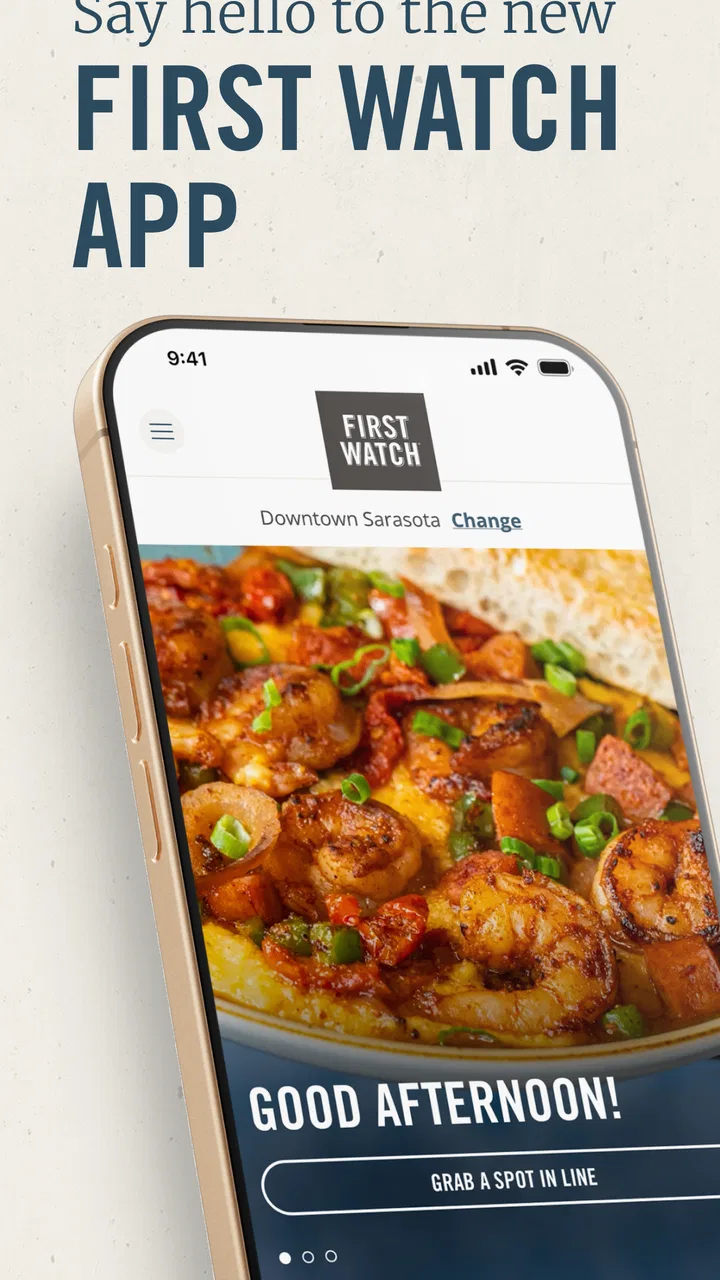
First Watch
- 4.8
- Rating
- 500.00K
- Installs
- Free
- Price

 Analysis by App-foxy
First Watch is the kind of food and drink app I would open when I already know where I want breakfast and would rather spend less time waiting. It comes from First Watch Restaurant Group, Inc., and its main appeal is practical rather than flashy: it puts ordering and repeat visits in one place, with tools intended to make a restaurant stop easier to manage. After using it, I see it as a companion to the restaurant experience, not a replacement for browsing a broad delivery marketplace.
The app is free, aimed at everyone, and sits in the food and drink category. Its current version is 5.5.0, while the project has been available since May 23, 2017. That long presence matters because this is not a brand-new experiment; it has had time to become a familiar digital front door for regular First Watch customers. At the same time, the version number alone does not make it a major redesign, so I judge it mainly by how smoothly it handles the everyday tasks I actually need.
How First Watch fits into a real breakfast routine
My most useful test for an app like this is a busy morning. Imagine leaving home with a limited window before work, school, or an appointment. I can use the app to look for a nearby First Watch location, decide whether I want to order ahead, and avoid turning the first part of the visit into a queueing exercise. That is a small improvement, but breakfast plans often fail because of small delays rather than complicated problems.
You May Also Like

 Blood Strike: 2.5 Anniversary
Blood Strike’s Loadouts Turn Every Drop Into a Tactical Gamble
A close look at Blood Strike’s custom loadouts: how fast access to signature weapons reshapes its battle royale rhythm, rewards preparation, and narrows the gap between fights.

 Pandora - Music & Podcasts
Pandora’s Music Is Easy to Start, but Harder to Recover
Pandora’s strength is its low-effort path from a seed to a station. Its weak spot is how much confidence it asks you to place in connection, setup, and quiet recovery.

 8 Ball Pool
 Is Built on Rivalries, Rematches, and Routine
A close look at the rivalries, rematches, shared routines, and unanswered safety questions that turn a quick pool match into a persistent mobile community.

 Samsung Music
’s Quiet Strength Is Playing What You Already Own
Its reach comes less from spectacle than from dependable access to a personal library. That simplicity is both the app’s strongest retention engine and its ceiling.

 AccuWeather: Weather Radar
AccuWeather Review: A Quick, Clear Forecast for Everyday Decisions
For everyday plans, the best forecast is the one you can understand quickly. AccuWeather makes rain timing, radar, and local conditions easy to act on, with a few trade-offs.

 Hill Climb Racing
Why Hill Climb Racing Still Turns Crashes Into One More Run
A tiny car, a bumpy hill and one more upgrade: Hill Climb Racing keeps resurfacing because its simple chaos makes every near-miss feel personal.
More From Our News Desk



The app is especially convenient when I am repeating a familiar order. Instead of searching through a general delivery service, checking several restaurant listings, and rebuilding the same choices, I can stay inside the restaurant’s own experience. The strongest reason to keep it installed is repeat use: once I know my preferred meal and location, the app can become a faster route from intention to pickup.
That focus also makes its limits easy to understand. I would not install it as a general restaurant discovery tool. If I am comparing many nearby cafés, checking unrelated menus, or trying to coordinate food from different restaurants, a map app or a broad delivery platform is more useful. First Watch is at its best when the decision is already mostly made.
The current experience is built around control, not exploration
The store summary highlights skipping the line, reordering, and app-only features. In practical terms, those ideas point to three different moments. Ordering ahead helps before the visit, reordering helps after I have found something I like, and app-specific functions give me a reason to use the dedicated app instead of simply searching for a restaurant online.
I appreciate that separation because it reflects how people actually return to a breakfast restaurant. The first visit may involve more browsing and decision-making. Later visits are often about reducing friction. A useful habit is to treat the first order as a setup step: check the selected location carefully, review the meal before submitting it, and then use the repeat path only after confirming that the saved choices still match what you want.
That last check is important. Reordering is convenient, but convenience can hide mistakes if my plans have changed. I might be ordering for one person on a weekday and for several people on a weekend. A previous order is a starting point, not proof that the current order is correct. I would still review quantities, customizations, and the chosen restaurant before finalizing anything.
What the version history tells existing users
The current release is version 5.5.0, which suggests an established product receiving ongoing iteration rather than a first launch. For someone who used an older edition, the sensible expectation is gradual refinement of the ordering journey and app-specific functions, not a completely different kind of product. I would update it because restaurant apps depend on current software to keep menus, locations, and account flows working together.
The app’s release date, May 23, 2017, also explains why it feels like a mature brand utility rather than a temporary campaign. Existing users are likely to value continuity: familiar access to the same restaurant relationship, with newer versions keeping the experience current. New users should not assume that age makes it outdated, but they should judge it by present-day convenience rather than by how long it has existed.
I also like seeing a concrete current version because it gives users a simple reference point when troubleshooting. If the app behaves differently from what I expect, checking whether it has updated is a sensible first step. I would then close and reopen it, confirm the restaurant location, and review the order details before blaming the menu or the restaurant itself. Those steps sound basic, but they prevent a surprising number of ordering errors.
How it compares with the usual alternatives
Compared with ordering by phone, the app gives me more visual control. I can take a moment to review the order instead of trying to hear every item over background noise or rushing through a conversation. That makes it a better choice when I need accuracy, especially for a larger order or a meal with several selections.
Compared with walking in and ordering at the counter, the main advantage is time management. I can make the decision before arriving and use the visit for pickup rather than for the entire ordering process. The trade-off is that a face-to-face conversation is still better when I have an unusual question, need help understanding a choice, or want to explain a complicated request.
Compared with a delivery marketplace, the dedicated app should feel more focused on First Watch itself. A marketplace may be better when I want to compare restaurants, combine choices, or use one account for many businesses. First Watch makes more sense when I care about the restaurant’s own ordering path and expect to return.
Compared with a mobile website, a dedicated app can be more convenient for frequent visits because it keeps the restaurant service close at hand. However, occasional customers may not want another app taking space on a phone. If I visit First Watch only once in a long while, a browser or in-person order may be enough. The app earns its place through repetition, not through a single use.
Small workflows that make a noticeable difference
One useful workflow is to separate planning from pickup. I would decide the location and order while I still have time to correct mistakes, rather than beginning the process from the parking lot with one hand on the phone. This matters most during busy breakfast hours, when a rushed review can lead to the wrong location or an overlooked item.
A second is to use reordering as a draft rather than an automatic shortcut. Start with the familiar order, then deliberately compare it with the current plan. This is faster than rebuilding everything, but safer than assuming yesterday’s breakfast is today’s breakfast. For households, that approach is even more valuable because one saved order may represent only one person’s preferences.
A third is to keep the app for the restaurants I genuinely revisit. Installing it, signing in, and learning its flow is worthwhile when I expect regular use. It is less worthwhile if I am only curious about the menu or searching for a one-time meal. That is a simple trade-off, but it is often overlooked when people judge restaurant apps only by their feature lists.
I would also use the app before leaving rather than relying on a last-second connection. Any mobile ordering tool can feel unreliable when a phone is switching networks or a user is trying to complete several tasks at once. Preparing earlier gives me time to read the confirmation and notice whether I selected the intended restaurant. The app cannot remove every part of the restaurant visit, so good timing still matters.
Where the experience may still feel limited
The focused design can feel narrow if I want more than a First Watch order. There is no reason to expect a single-brand app to replace a map, a food marketplace, or a general restaurant guide. That is not a flaw by itself, but it affects who will find value here. People who prefer one universal ordering app may see another dedicated installation as unnecessary.
Ordering ahead also changes the kind of flexibility I have. When I speak with staff in person, I can ask a question before committing. In an app, I need to understand the available choices and make sure the selected options express what I want. For straightforward meals, that is easy. For uncertain or highly specific requests, the usual human conversation may be more comfortable.
Reordering has a similar tension. It saves taps, but it can encourage autopilot. A repeat order may no longer suit a changed schedule, a different group size, or a different location. I would never treat the shortcut as a substitute for reading the final screen. The best version of convenience is quick but still deliberate.
There is also a social limitation. The app is designed around an individual phone and an individual ordering moment, while breakfast plans are often shared. If several people are choosing together, the phone can become a bottleneck as everyone waits to inspect the same order. For a group with differing preferences, an in-person conversation may be faster than passing one device around.
Who should use it, and who should skip it?
I would recommend First Watch to regular customers, people who dislike waiting in line, and anyone who often repeats the same breakfast order. It is also a good fit for someone who prefers reviewing choices quietly rather than placing an order verbally. The free price removes the main financial barrier, so the real question is whether the time saved is worth keeping a dedicated restaurant app.
I would be more cautious about recommending it to occasional visitors. If I am still deciding whether I even want First Watch, the app is not necessarily the best first stop. A general search tool can help me compare nearby options, while the dedicated app becomes more useful after I have chosen the restaurant and expect another visit.
It may also be the wrong choice for someone who needs extensive personal assistance with an order. The app can streamline standard decisions, but it does not replace asking a staff member when the request falls outside the choices presented on screen. In that situation, calling or ordering in person is the more dependable route.
What I would watch in future updates
For future releases, I would pay attention to whether the ordering flow becomes clearer without becoming crowded. The best improvement would be anything that helps users distinguish location, order timing, and final confirmation at a glance. Those are the points where a small misunderstanding can undo the convenience the app is meant to provide.
I would also watch how the app handles returning customers. Reordering should remain quick, but it should also make current details easy to verify. A thoughtful balance between speed and review would serve both habitual solo diners and people placing a larger order for others.
Another area worth watching is how well the app continues to justify its place beside mobile websites and marketplace apps. App-only features need to feel useful in real routines, not merely different. If future updates make repeat visits more transparent and reduce uncertainty around pickup, the dedicated experience will become easier to recommend even to occasional customers.
The app already has a substantial audience, with over 500 thousand installs, and its average rating is 4.8 from around 3.2 thousand ratings. Those figures suggest that many users find the experience worthwhile, although a rating cannot tell me whether it suits my own habits. I would give more weight to the practical fit: how often I visit, whether I repeat orders, and how much I value avoiding the line.
My final take on the First Watch app
After looking at it as a daily tool rather than a promotional extra, I find First Watch most convincing when it handles a predictable breakfast routine. Its free access, focused purpose, and current version make it easy to try, while the restaurant-specific design keeps the experience less cluttered than a broad marketplace when I already know where I want to eat.
Its weaknesses are equally clear. It is not the best tool for comparing many restaurants, asking nuanced questions, or replacing every kind of ordering conversation. The convenience of reordering also requires a final review, especially when the order is for more than one person. Those are manageable limitations, but they mean I would not recommend it automatically to every food-app user.
For a regular First Watch customer, I think it is worth keeping. I would use it to plan before leaving, check the location and order carefully, and treat saved orders as editable starting points. For an occasional visitor, I would try it once and decide whether the time saved justifies another app. That feels like the honest conclusion: a useful restaurant companion for repeat breakfast visits, but not a universal food-ordering solution.
With an Everyone content rating and support beginning at OS 7.1, it is accessible to a broad range of users with compatible devices. The developer, First Watch Restaurant Group, Inc., has built something practical rather than overcomplicated. If my goal is simply to make a familiar First Watch visit more predictable, I would recommend giving it a try; if my goal is restaurant discovery or highly personalized assistance, I would choose a different route.
FAQs for First Watch
01What is First Watch?
First Watch is a restaurant-focused app designed to help users explore the brand’s breakfast, brunch, and lunch menu, find nearby locations, review restaurant details, and plan a visit. Depending on your region and the version installed, it may also provide ordering, rewards, promotions, or other convenience features. Availability can vary by location, so check the app after installation.
02Can I order food through the First Watch app?
The ability to order through First Watch depends on your location and the services currently supported by the restaurant. Some users may be able to place pickup or delivery orders through an integrated ordering system, while others may only see menu and location information. Before relying on the app, confirm whether your preferred restaurant offers mobile ordering and review any extra service or delivery fees.
03Does First Watch offer rewards or special promotions?
First Watch may include access to rewards, digital offers, or promotional information, but the exact benefits can change over time and may not be available in every market. If a loyalty feature is offered, you may need to create an account, provide an email address, or scan and register qualifying purchases. Read the current terms carefully because rewards can have expiration dates or usage restrictions.
04Is First Watch free to download and use?
The First Watch app is generally free to download from the official Android or iOS store. However, using certain features may involve costs related to food purchases, delivery charges, taxes, service fees, or optional promotional programs. The app itself should not require a purchase simply to browse restaurants and menus, but always verify the final price before submitting an order.
05What information does First Watch require, and is it safe to use?
Basic browsing may be possible without creating an account, although ordering, saving preferences, or using rewards can require personal details such as your name, email address, phone number, and location. Download the app only from an official store, review its privacy policy and requested permissions, and avoid sharing unnecessary information. Payment details should be entered only through the app’s secure checkout process.
Pros
- Easy access to live TV and on-demand content in one app.
- Supports multiple devices for convenient viewing at home or away.
- Clean interface makes finding shows and channels straightforward.
- Personalized recommendations can help users discover new programs.
- Useful search tools quickly locate specific shows or episodes.
Cons
- Content availability may depend on your location and subscription plan.
- Some features require a stable
- high-speed internet connection.
- Video quality can drop when network performance is inconsistent.
- The app may use significant mobile data during extended streaming.
- Certain devices may have limited compatibility or performance issues.

First Watch
Gallery